


Battery Charging Animation
4.61.07K Reviews
App Specs
- Version
- 1.4.12
- Updated On
- License
- Free
- Downloads
- 10,000,000+
- Developer
- Firehawk
- Categories
- Personalization
- Platform
- Android, iOS
Screenshots
 Analysis by AppCompare
I treat a charging animation as a small visual extra, not a way to make a phone charge faster. That distinction matters with Battery Charging Animation: its appeal is in changing what I see when I plug in, rather than improving the battery or the charging hardware. If you enjoy personalizing everyday parts of your phone, that can be a pleasant little upgrade; if you mainly want practical battery tools, it may not answer the problem you have.
What to expect when you plug in
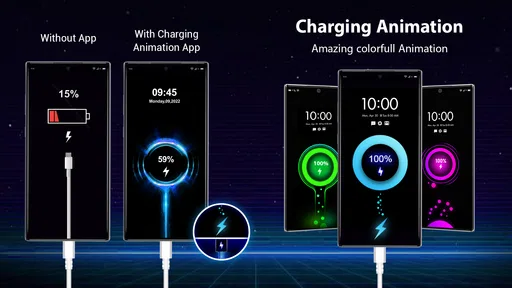
The app’s purpose is easy to understand: it brings an animation to the charging screen. I’d judge its speed by how readily that visual appears and feels, not by how quickly the battery fills. An animation is decoration, so it should not be mistaken for a charging-speed indicator or a fix for a slow cable, adapter, or aging battery.
That framing also helps set sensible expectations before installing it. If you want a more expressive charging moment, this kind of personalization can make a familiar routine feel less plain. If you are trying to diagnose charging problems, I’d start with the phone’s own battery settings and charging accessories instead; an animated screen cannot establish what is slowing the charge.
How it fits into a busy day
The most useful time for an animation is when the phone is already set down to charge: on a desk while I work, beside the bed overnight, or near the entryway while I get ready to leave. In those moments, a brief visual can add personality without asking me to open another app and explore it repeatedly. The benefit is modest, but that is also why it can fit naturally into a routine.
There is a trade-off if you often connect your phone for short top-ups. A screen animation may feel fun the first few times and less useful when you are plugging in repeatedly during a hectic day. I’d choose a style that remains comfortable to glance at rather than one that competes for attention, especially if the phone is kept in view while you work or relax.
A practical way to evaluate it is to use the same charging habit you already have instead of creating extra sessions just to see the effect. Notice whether the animation makes plugging in more enjoyable or simply adds another visual distraction. That quick test tells you more about its value than repeatedly opening the app to browse settings.
Reliability and everyday expectations
For this kind of app, reliability is mostly about whether the charging display behaves consistently and whether the phone remains comfortable to use. I would not treat a decorative animation as a dependable battery monitor or as proof that charging is proceeding normally. If you need an accurate view of battery condition, the built-in battery tools are the more sensible place to start.
Worth Reading Before You Choose

EA SPORTS FC Mobile 26 Is a Bigger Football Game, but It Takes Time

Flipboard Shows What News Apps Must Do Beyond the Feed

Switching to Android Auto Means Rethinking Your Driving Routine

Google Calendar Makes a Crowded Week Easier to Manage

Ludo King Makes the Most of the Minutes Between Plans

Baby Panda World Brings Quick Play to Modern Phones, but Its Game Library Feels Busy
Phone behavior can vary with device settings and how the operating system handles apps, so I’d check the experience on the phone I plan to use rather than assume every model will present it identically. If the display does not appear as expected, checking the app’s available settings and the phone’s own display or background restrictions is a more useful first step than reinstalling immediately.
Device fit and who should skip it
The app is in the personalization category, is made by Firehawk, and is free to install. It is rated for Everyone, has an average rating of 4.6 from around 217,000 ratings, and has passed over 10 million installs. Version 1.4.12 supports Android 8.0 and later, so it is aimed at a broad range of Android phones rather than only recent models. Optional in-app purchases range from $0.99 to $99.99 per item, which is worth keeping in mind if you prefer apps with no paid extras.
I’d recommend trying it if a more distinctive charging screen sounds enjoyable and you are comfortable with a visual customization app. I’d skip it if you want detailed battery health reports, charging diagnostics, or a genuine increase in charging speed. Those are different jobs, and your phone’s built-in battery information or a hardware check is a better fit for them.
How it compares with ordinary alternatives
The usual alternative is simply the charging screen your phone already shows, which is quieter and requires no extra personalization app. That default is the better choice if you value a minimal display or do not want another app involved in the charging routine. Battery widgets and system battery pages are also more useful when the question is how much charge remains, while an animation app is better suited to changing the look of the moment you connect power.
One small but useful distinction is between choosing an animation for your own enjoyment and choosing one to show other people. A bright effect may be entertaining when friends notice it, but a calmer style is easier to live with during routine charging. I’d make the choice based on where the phone usually sits, not only on which option looks most dramatic while browsing.
First Impressions and Setup
Getting started with the Battery Charging Animation app is a breeze. The app is available for both Android and iOS, and downloading it is as straightforward as it gets. Once installed, you're greeted with a colorful interface that’s both inviting and intuitive. The setup process is quick; you just need to grant the necessary permissions, and you’re good to go.
What I found particularly charming is the app's simplicity. You don’t have to dig through endless settings to get it running. It’s all about choosing the animation style you fancy, and bam, you’re ready to turn your charging routine into a visual delight.
Customizable Features
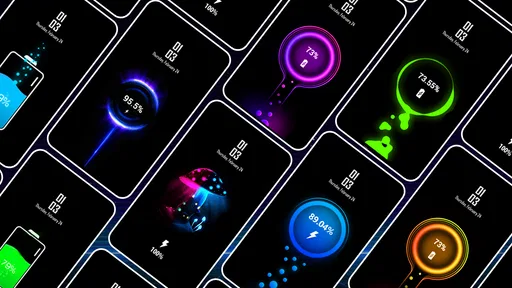
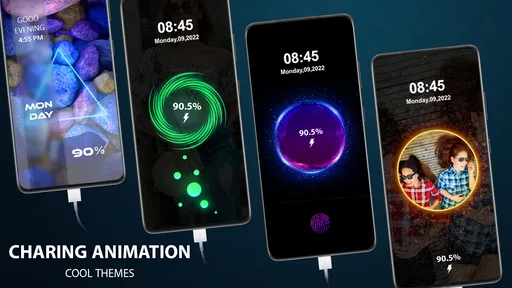
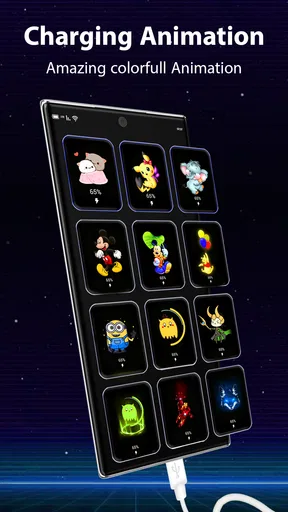
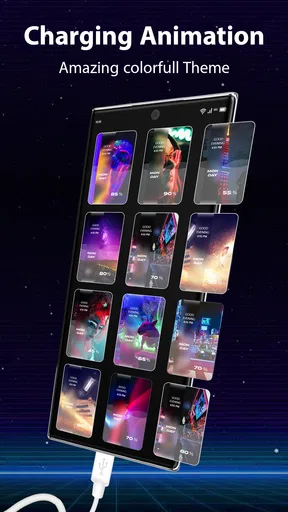
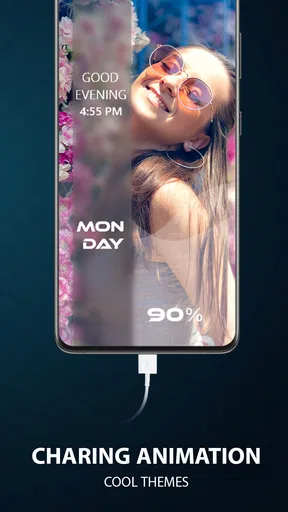
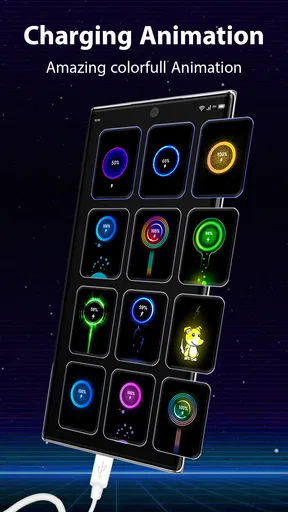
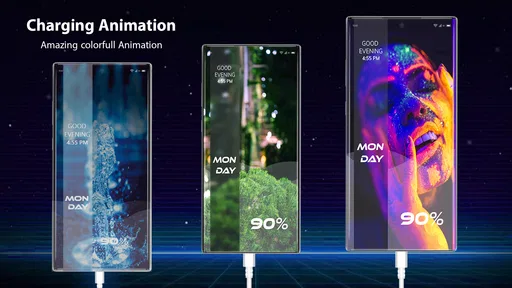
This app is all about personalization. You can choose from a variety of animations that range from subtle glows to vibrant light shows. Whether you're in the mood for something calming or a bit more electrifying, there’s something for everyone. I opted for a sleek neon animation, and it never failed to make me smile every time I plugged in my phone.
If you’re someone who likes to switch things up, you'll appreciate the ability to customize the animations further. You can adjust the speed and colors, making it truly your own. It’s like having a mini art studio dedicated to your charging screen.
Performance and Battery Impact
Now, I know what you’re thinking: "Does this app drain my battery?" Surprisingly, the app is designed to be lightweight. I didn’t notice any significant battery drain or lag while using it. The animations run smoothly and don’t interfere with the phone’s charging efficiency, which is a huge plus.
During my testing, the app consistently performed well, even on older devices. It’s optimized to ensure that it doesn’t hog your phone’s resources, which is crucial for users who are mindful of their phone’s performance.
Why You Should Try It
Let’s be honest; charging your phone is a mundane task. This app transforms it into something fun and visually appealing. If you’re someone who enjoys adding a bit of flair to everyday activities, this app is right up your alley. It’s particularly great for impressing friends or just adding a little joy to your tech routine.
Plus, it’s a fantastic conversation starter. I’ve had people ask me about it just from seeing the animations in action, and it’s always fun to share a nifty app recommendation.
Final Thoughts
All in all, the Battery Charging Animation app is a delightful way to spice up your phone’s charging experience. It’s easy to use, doesn’t bog down your system, and offers a level of customization that’s sure to please. Whether you’re a tech enthusiast or just someone who loves a bit of personalization, it’s worth checking out.
So, if you’re ready to turn your charging routine into a mini light show, give this app a try. It’s a fun, simple way to add a little extra joy to your day. Trust me, once you’ve tried it, you might find yourself looking forward to those charging breaks a whole lot more.
Pros
- Visually appealing animations
- Customizable themes available
- Easy to set up and use
- Battery level notifications
- No ads in premium version
Cons
- Limited free features
- Consumes extra battery power
- Occasional animation glitches
- Ads in free version
- Not compatible with all devices
FAQs for Battery Charging Animation
What is Battery Charging Animation?
Battery Charging Animation is a mobile app that provides visually appealing animations when your device is charging. It enhances the charging experience with customizable themes and effects, making it more engaging and enjoyable to monitor your battery status. Users can select from a variety of animations to suit their personal preferences.
Is Battery Charging Animation available for both Android and iOS?
Yes, Battery Charging Animation is available for both Android and iOS platforms. Users can download it from the Google Play Store for Android devices and the Apple App Store for iOS devices. Ensure your device meets the compatibility requirements before downloading.
Does Battery Charging Animation affect battery performance?
Battery Charging Animation is designed to be lightweight and does not significantly impact battery performance. It runs only when the device is charging, so it doesn't drain your battery during regular use. However, it’s always recommended to monitor the app’s performance and adjust settings if needed.
Can I customize the animations in Battery Charging Animation?
Yes, the app offers a wide range of customizable animations. Users can choose from different themes and effects to personalize their charging experience. Some versions may offer premium options for additional customization, allowing even more variety and creativity in your selections.
Is Battery Charging Animation safe to use?
Battery Charging Animation is generally safe to use as long as it’s downloaded from official app stores like Google Play Store or Apple App Store. These platforms screen apps for security issues. It's important to keep the app updated to ensure you have the latest security patches and features.


